
Creating your Application account
Overview
Welcome to your Online Applicant Portal, where you can track the status of your loan application, upload and manage required documents, and communicate with your loan officer throughout the underwriting process. If there is more than one applicant on your loan, each of you can follow these steps to get access individually.
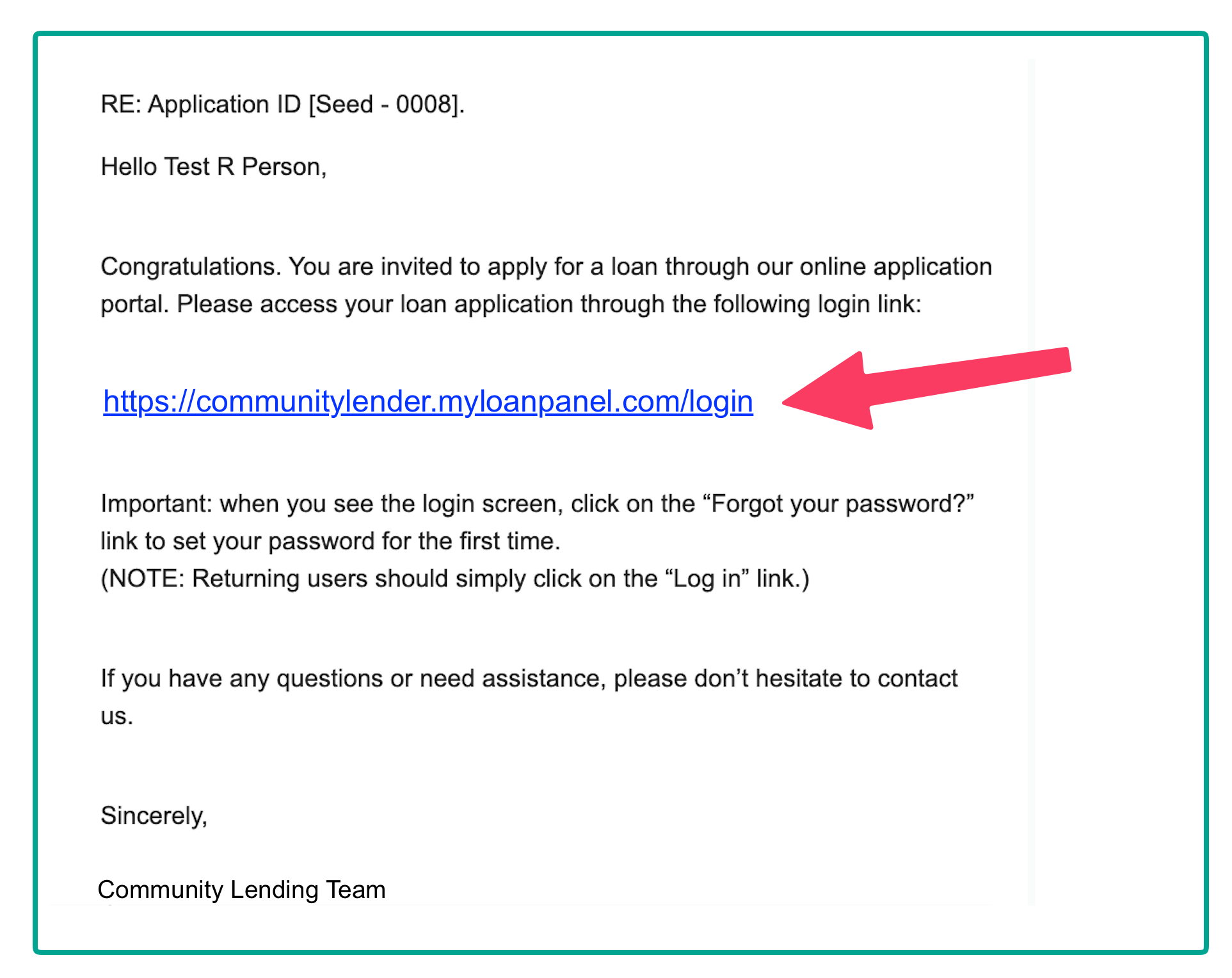
Once your lender is ready for you to fill out and submit your application, you should receive an email inviting you to create an account.
Create an Account
To sign into your new My Applications account, first create a new password:
-
Follow the link in your email by clicking the link. It should look like this:
-
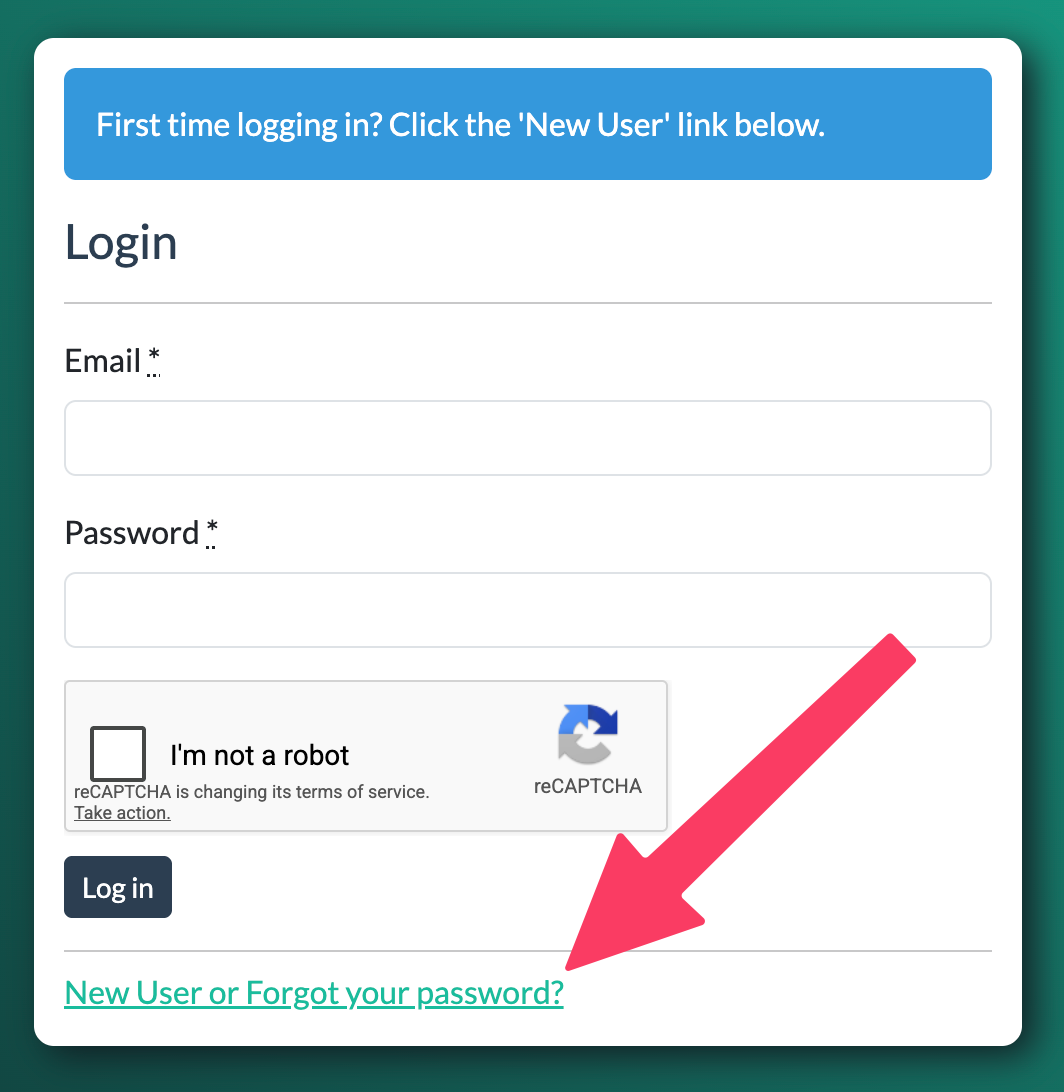
On the login page, click the link that says "New User or Forgot your password":
- On the next page,
- enter your email address,
- complete the question to show you are a human,
-
then click Send me reset password instructions.
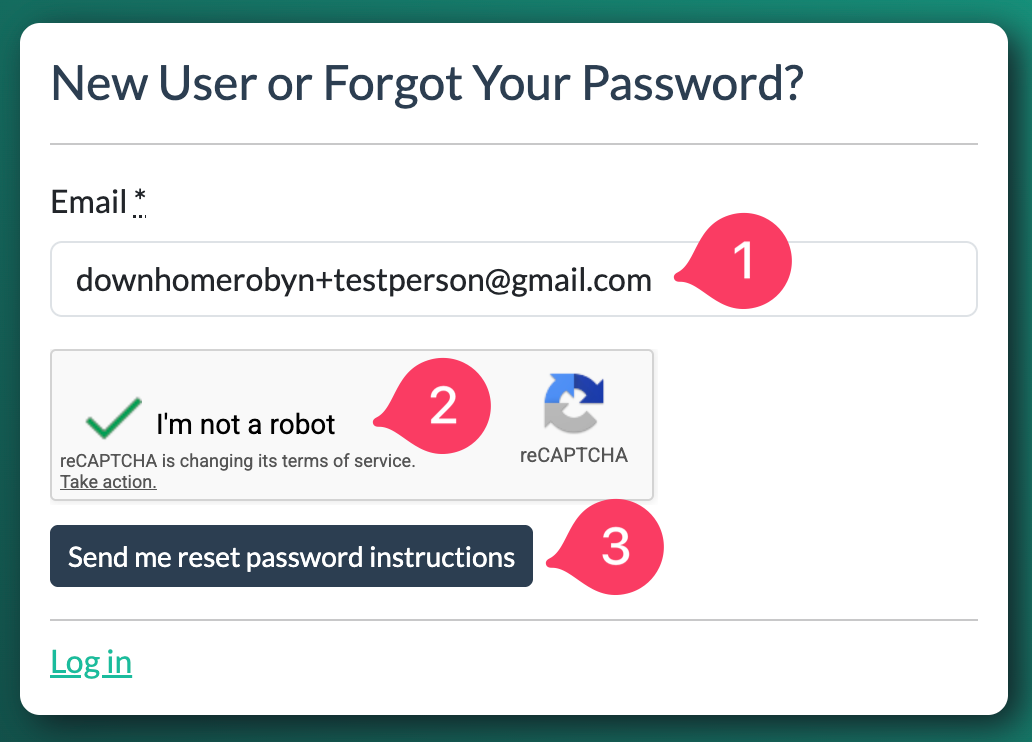
⚠️ Use the email address where you received the invitation. If you use a different email than the one on your application it will not work. If you are unsure what email you used, see your original invitation email or contact your lender.
-
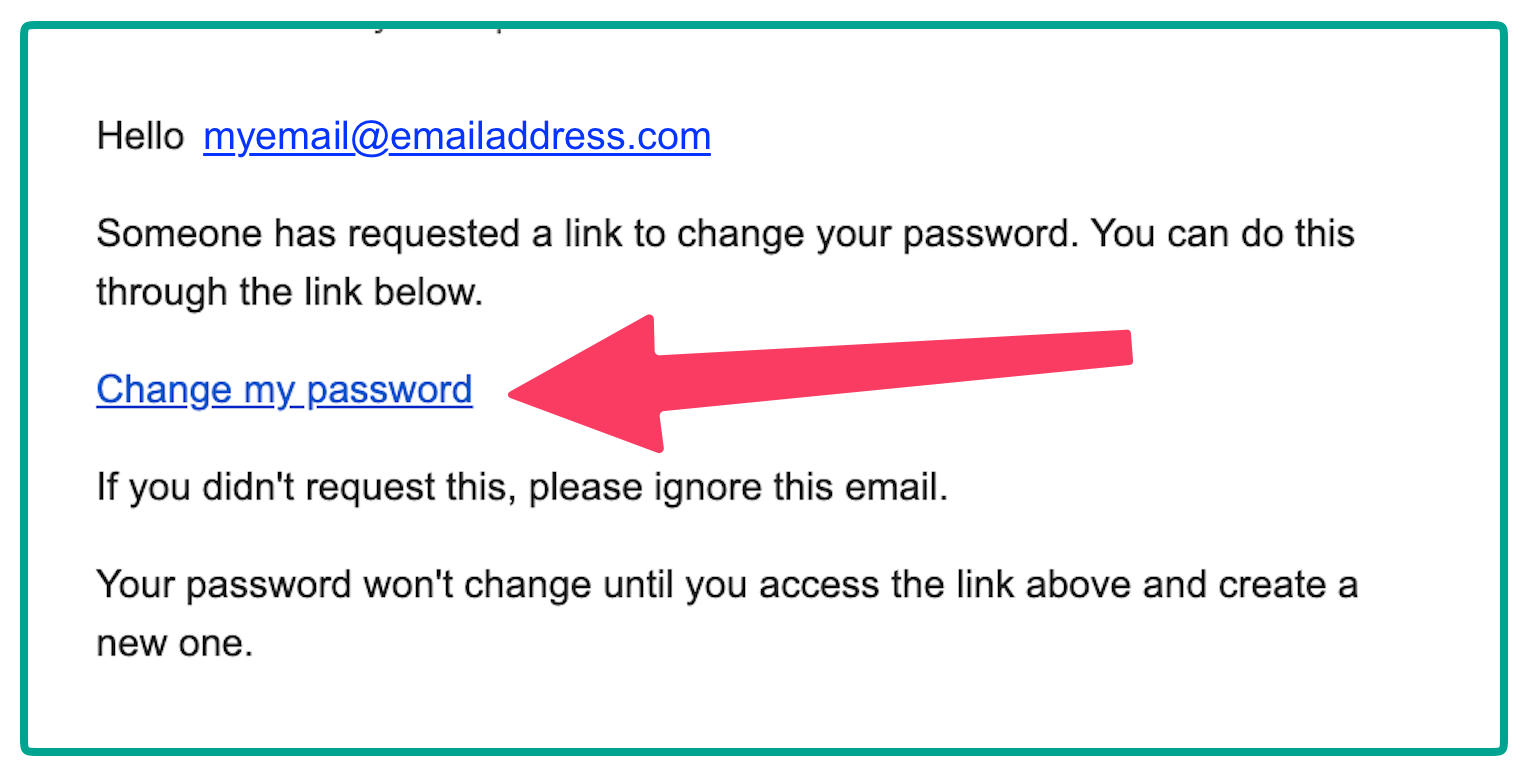
Find the "Reset password instructions" email in your inbox.
⚠️ Don't see it? Check in your email's Spam or Bulk mail folder.
-
Open the password reset email you receive and click on Change my password. It should look like this.
- Open the link, and set your new password by entering it two times. Make sure your password follows all the rules.
Password Rules:
- Your password should be longer than 8 characters
- Add at least one upper case letter and one lowercase letter like K and k
- Have at least one number, like 2 or 89
- Have at least one symbol, like ! or *
- This is a good password: Fantasticfourmovie2005*
- This is a bad password: 12345678
To protect your security, save your password in a safe place, like a password manager in your browser.